 SameSame
Guide
How to use eBay image search on desktop
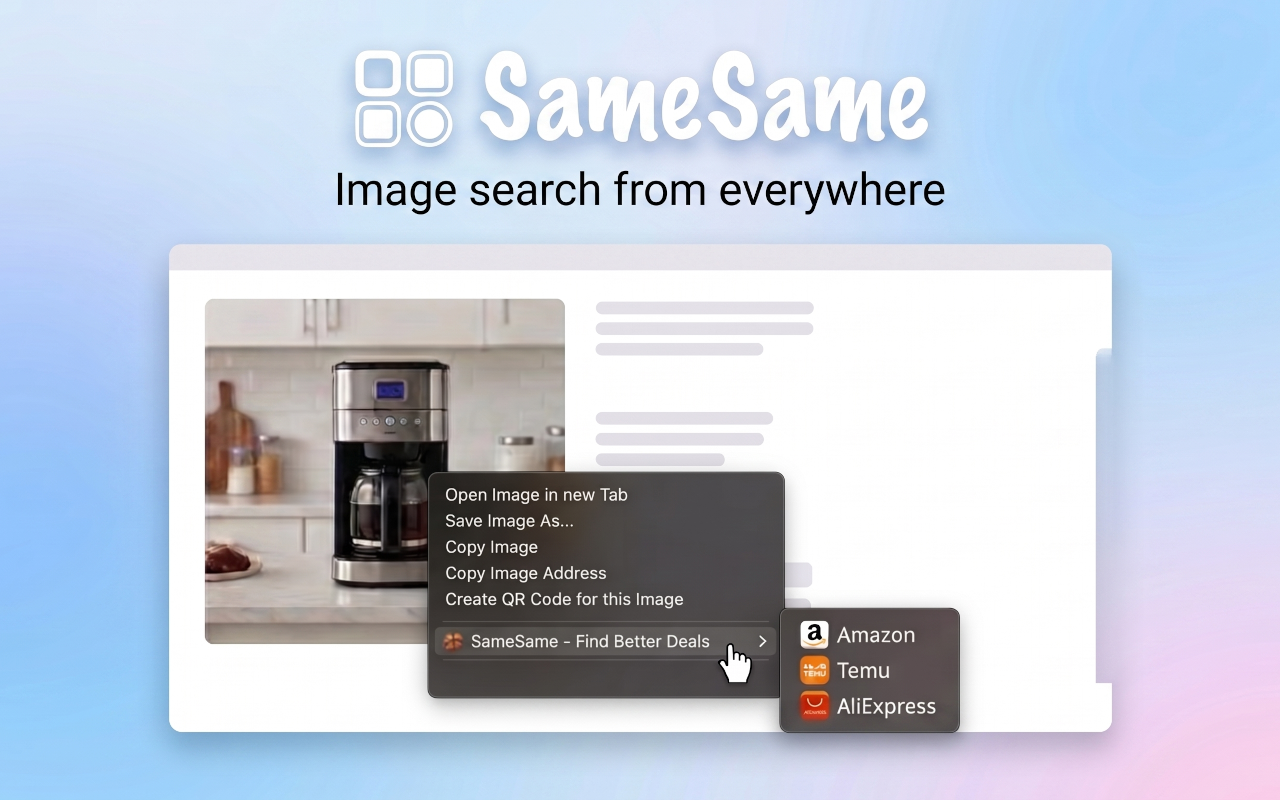
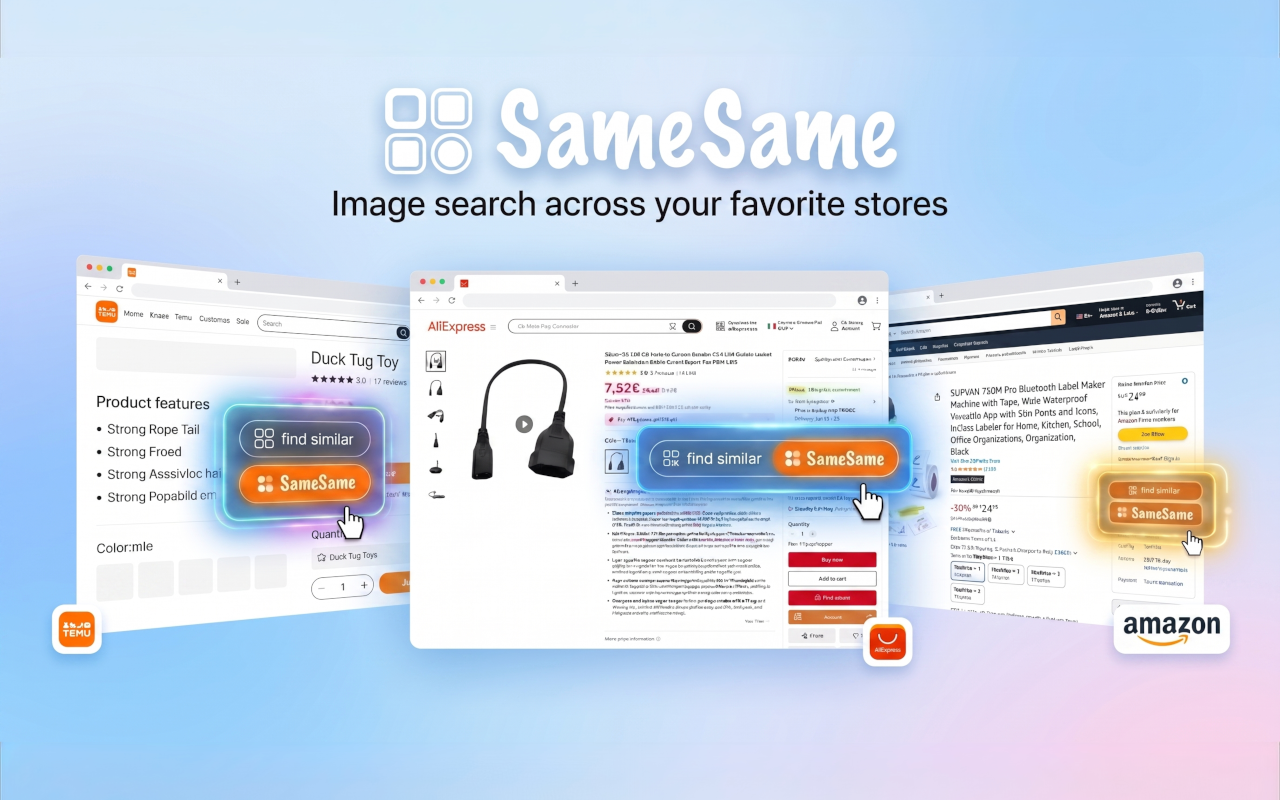
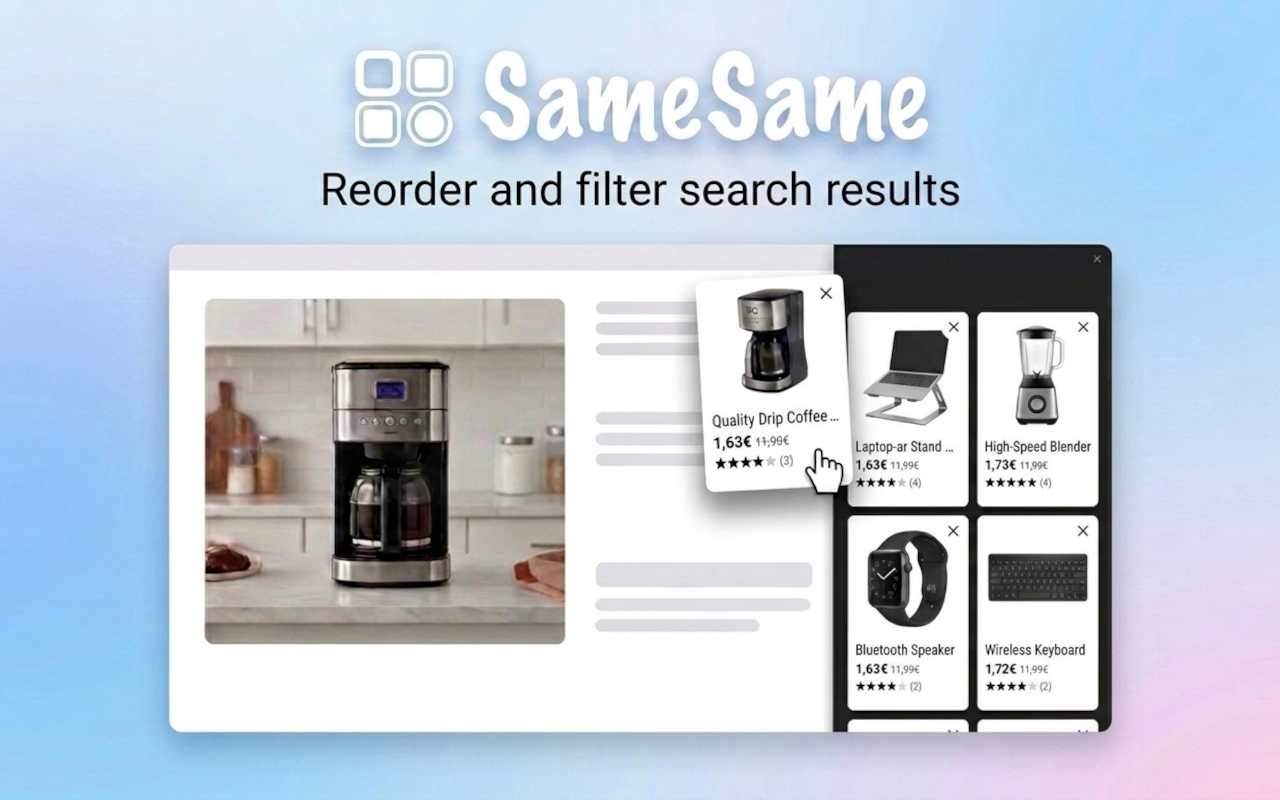
eBay's own visual search is built for the app. On a computer it is easy to miss. SameSame exposes eBay image search from the page you are already on: right-click a photo, use find similar on product pages, and compare matches in a sidebar.
Why eBay image search is awkward on desktop
eBay's help pages send you to the mobile app for photo search: open eBay, tap the camera next to the search box, then take a picture or pick one from your library. That flow is clear on a phone. It is a poor fit when the photo is already on a desktop listing.
The eBay website is keyword-first. You can type a short description and filter. You usually cannot point eBay at the image sitting on the page. The workaround is slow: save the file, send it to your phone, open the app, upload. Most people skip that and guess at titles instead.
Titles are a weak query for the same reason they are weak on other marketplaces. eBay titles are often packed with condition codes, lot numbers, and seller shorthand. New, used, refurbished, and auction listings sit side by side. The picture describes the object.
Native eBay: the app camera
If you are standing in front of the object, the eBay app camera is the direct path. Photograph the item, or upload a shot from your camera roll. That is eBay's own visual search, in the place eBay designed it for.
Keep using it for real-world objects. SameSame does not replace the app. It covers the desktop gap: the image is already in the browser, and you do not want to shuttle a file to your phone to run the same kind of store search.
SameSame: eBay search from the page you are on
SameSame is a free browser extension for Chrome, Firefox, and Edge. It does not run a separate product index. It calls each platform's own image-search API. Those APIs are often primarily available in the mobile apps. The extension is a way to run them from desktop, instead of sending the photo to a third-party reverse-image site.
For eBay, that means three desktop actions:
- Right-click a product image on almost any website and choose eBay.
- Use find-similar on eBay product pages (and on Amazon, Temu, and AliExpress product pages) when SameSame shows that action.
- Read the matches in a collapsible sidebar so you stay on the original listing while you compare.
You can start from an eBay page, an Amazon page, a Temu page, an AliExpress page, or another shop. The photo is the query. eBay is the destination. If you also want AliExpress or Amazon on the same object, run those searches from the same image. You do not have to save the file first.
How to get a cleaner eBay match
Visual search is only as focused as the pixels you give it. A front pack shot of one object on a plain background is a strong query. A collage, a screenshot full of text, or a lifestyle photo with a busy room is a weak one. If the first results share a color or a setting but not the object, the model is grabbing the background.
- Start with the front view, not a scale shot full of rulers and badges.
- If the product is a set, try a photo of the main piece alone.
- If color variants flood the results, try a second image in a neutral color.
- If lifestyle photos dominate, switch to the pack shot on the listing.
Then read the eBay cards the way you would read any marketplace result. Confirm condition (new, used, refurbished), bid versus Buy It Now, seller rating, authenticity, and shipping. A close visual match can still be a different SKU, a spare part, or a used copy. Image search finds candidates. The listing details decide whether you buy.
When to stay in the eBay app instead
If the object is in your hand, use the eBay app camera. SameSame is for desktop and for images that already live in the browser: Amazon, Temu, AliExpress, eBay, social posts, other stores. You can use both. Many people photograph an item in the app, then later right-click a cleaner listing photo on the web when they want a second pass.
SameSame will not make a poor photo into a perfect query. Blurry images, heavy filters, and screenshots of screenshots all reduce match quality, in the app and in the extension. If results look random, get a sharper picture of the object and search again.
Install SameSame for eBay image search
Add the extension, open any product photo, and right-click to search eBay. You can still use native eBay camera search whenever you are already in the app. SameSame is the desktop shortcut for the same store tool.
FAQ
Does eBay have a built-in image search?
Yes. eBay offers image search in its mobile app: a camera control next to the search box. On the desktop site that control is easy to miss or missing, so most people type keywords instead.
How do I search eBay by image from a computer?
Install SameSame, right-click a product photo, and choose eBay. On eBay product pages you can also use find-similar. Results stay in a collapsible sidebar so you do not leave the listing you were already reading.
Does SameSame use eBay's own image search?
Yes. SameSame calls each platform's own image-search API rather than a third-party reverse-image site. Those APIs are often easiest to reach in the mobile apps. The extension is a desktop way to run the same store tools.
Can I search eBay from a photo on Amazon, Temu, or AliExpress?
Yes. Right-click an image on Amazon, Temu, AliExpress, another shop, or almost any website, and run eBay visual search without saving the file first.